How to download Temu product images and videos
Temu's punchy product photography and abundant customer photos make it the best source for UGC-style ad creative in 2026.
Temu is Pinduoduo’s international platform — ultra-low prices, English UI, USD pricing, ships to most of North America, EU, UK, and Australia. Its product photography has become the visual template that’s currently dominating Meta and TikTok ads. For ad-creative research, Temu is essential.
Steps
- Find your product on
temu.com(or any regional path like/uk/,/de/). - Copy the URL — desktop browser bar or the Temu app’s Share → Copy link.
- Go to alidownpro.com, paste, click Extract.
- Browse the result page’s Gallery / Variants / Customer photos / Videos tabs.
- Click Download all as ZIP — sorted folders ready to drop into your ad-creative workflow.
What you’ll get
- Main product gallery in original resolution
- SKU/variant photos per color and size
- Customer review photos (very common on Temu, very useful for UGC ads)
- Product demo videos in MP4
- Deal-of-the-day promotional banners
Ad-creative workflow
- Find a top-selling product on Temu’s “Best Sellers” or “Lightning Deals” tab.
- Pull the ZIP from AliDownPro.
- Open the
/reviewsfolder — dozens of authentic-looking customer photos. - Combine 3-5 review photos with a voiceover (CapCut) into a TikTok/Reels-style UGC ad.
- Test in Meta Ads Manager. Temu-style creative tends to outperform polished studio ads in 2025-26.
FAQ
Are Temu photos HD?
Temu serves resized thumbnails to your browser by default. AliDownPro reads the underlying CDN URL and returns the original master image, typically 800-1500 px on the long edge.
Can I download from regional Temu sites?
Yes. AliDownPro supports temu.com, m.temu.com, and regional paths like /uk/, /de/, /fr/, /au/, /jp/ etc.
How do I get a Temu link from the mobile app?
In the Temu app, open a product, tap the Share icon, choose 'Copy link.' Paste that link directly into AliDownPro on desktop or mobile browser.
Related
Skip the URL paste. Download right from the AliExpress page.
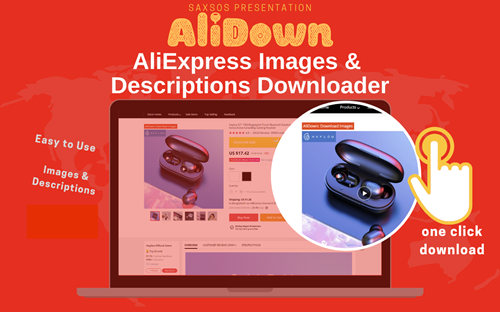
Install the official AliDown Chrome extension and grab every product image, variant, and video — including review photos — in one click. Unlimited downloads, forever free, no credits needed.
- One-click bulk download
- ZIP, single files, or HD originals
- No login required, no credit limit
- Works on AliExpress, AliBaba & Taobao
⭐ 4.9 / 5 average rating · 10,000+ active users