Banggood Image & Video Downloader
Banggood specialises in gadgets, drones, RC, smart home, and 3D printers — often with exclusive launches before they appear on AliExpress. AliDownPro pulls every photo, demo video, and review picture.
Why Banggood is worth knowing
Banggood has a more curated catalogue than AliExpress — specialising in tech, drones, 3D printers, and RC products. Photos tend to be cleaner and more product-marketing-style. Drone hobbyist YouTubers in particular rely on Banggood for review subjects and B-roll.
What AliDownPro extracts from Banggood
- Main product gallery in original resolution
- Drone flight footage and demo videos in MP4
- Per-variant photos (color, kit version)
- Specification infographics
- Customer review photos
Supported Banggood URL formats
https://www.banggood.com/...https://m.banggood.com/...- Banggood affiliate / app share links (auto-resolved)
Use cases
- Tech YouTubers: Drone B-roll, gadget showcase shots, thumbnail material.
- 3D printing creators: Banggood is one of the largest catalogs of consumer 3D printers — pull reference shots for review videos.
- Tech resellers: White-background photos ready for Amazon FBA.
- Affiliate marketers: HD images for Pinterest pins and IG carousels.
Frequently asked questions
How do I download Banggood product photos?
Copy your Banggood product URL (www.banggood.com or m.banggood.com), paste it on AliDownPro, click Extract, then Download all as ZIP.
Are Banggood photos high resolution?
Yes. Banggood's electronics and drone categories tend to have studio-quality photos. AliDownPro returns the original master.
Can I download Banggood demo videos?
Yes. Banggood listings (especially drones and RC products) often include flight or operation demo videos. We extract them as MP4 with no watermark.
Why use Banggood over AliExpress?
Banggood specialises in gadgets, drones, RC vehicles, smart home, and 3D printers. The catalogue is curated and often has exclusive launches before they hit AliExpress.
Related
What AliDownPro extracts
Four categorized media types per product — every time.
Main product gallery
Every photo from the top carousel — 6 to 12 images per product, served as original HD master URLs.
1200×1200 master / no _350x350 thumbnail
SKU variant images
Per-color, per-size, per-style thumbnails grouped under the right variant label so they're easy to bulk-upload to Shopify or WooCommerce.
Red, Blue, Black variants extracted separately
Customer review photos
Lifestyle and unboxing shots uploaded by real buyers. These convert 2-3× better than supplier shots in TikTok and Meta ads.
Auto-deduplicated, sorted newest-first
Product videos (MP4)
The seller's product video — typically 1080p MP4, with the poster frame as the thumbnail in the ZIP.
1080p MP4 + JPG poster
How to use AliDownPro
Four steps. Average completion: under 30 seconds.
- 1Copy the product URL
On any AliExpress, AliBaba, Taobao, JD, Shein, Temu, DHgate (or 5 more) product page, copy the full URL from your browser address bar.
- 2Paste into AliDownPro
Open alidownpro.com, paste the URL into the box at the top of the page, and click Extract. We strip tracking parameters automatically so the result URL is clean.
- 3Preview every image and video
Within 2 seconds you'll see the full gallery, every SKU variant photo, customer review pictures, and any product videos — all categorized in separate tabs.
- 4Download single or as ZIP
Click Save on any single image (free for signed-in users) or Download all as ZIP (1 credit). The ZIP arrives organized into /gallery /variants /reviews /videos folders.
AliDownPro vs alternatives
Honest comparison against the free downloaders and the do-it-yourself approach.
| Feature | AliDownPro | Other free tools | Manual (DevTools) |
|---|---|---|---|
| 12 marketplaces supported | AliExpress only | Yes (manual) | |
| HD master images (no thumbnails) | Often resized | Manual URL hack | |
| Variant images bucketed by SKU | |||
| Customer review photos | Most don't | One-by-one | |
| Product video (MP4) | Some | DevTools | |
| Bulk ZIP download | Paid tier | ||
| Watermark-free | Mixed | ||
| Free Chrome extension (unlimited) | |||
| Sub-2-second extraction | 5-15s | 5-10 min | |
| Works on every regional domain | Mostly .com |
Who uses AliDownPro
Built for operators who move fast.
Dropshippers & resellers
Source 20+ products a day for Shopify, WooCommerce, and Etsy stores. Bulk-download supplier galleries, variants, and review photos in one ZIP — drop them straight into your listings.
Ad creative producers
Pull customer review photos for high-converting Meta and TikTok ad creative. UGC-style review shots outperform supplier stock images by 2–3× in ad-set tests.
Print-on-demand sellers
Mine 1688 and Taobao for original art and pattern inspiration. Extract variant images by colorway to populate POD storefronts on Printify or Printful.
Amazon FBA & private-label
Compare supplier images across AliExpress, AliBaba, and DHgate before placing your factory order. Variant images make it easy to spot SKU differences side-by-side.
12 marketplaces, one tool
Most competitors handle AliExpress only. AliDownPro extracts media from every major Chinese marketplace your suppliers actually use.
Related guides
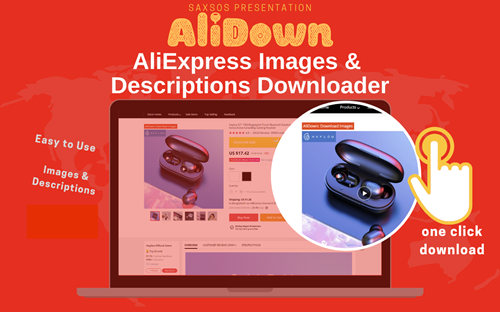
Skip the URL paste. Download right from the AliExpress page.
Install the official AliDown Chrome extension and grab every product image, variant, and video — including review photos — in one click. Unlimited downloads, forever free, no credits needed.
- One-click bulk download
- ZIP, single files, or HD originals
- No login required, no credit limit
- Works on AliExpress, AliBaba & Taobao
⭐ 4.9 / 5 average rating · 10,000+ active users