How to download Banggood product images and demo videos
The go-to source for drone, RC, 3D printer, and gadget media — clean marketing photography and 1080p flight demos.
Banggood specialises in tech, drones, RC vehicles, smart home, and 3D printers. Its product photos tend to be cleaner and more marketing-style than AliExpress’s supplier-uploaded shots, and the demo videos — especially for drones — are exceptional B-roll for review videos.
Steps
- Open your product on
www.banggood.comorm.banggood.com. - Copy the URL from your browser.
- Go to alidownpro.com, paste, click Extract.
- Browse Gallery / Variants / Customer Photos / Videos.
- Click Download all as ZIP.
What you’ll get
- Main product gallery in original resolution
- Drone flight footage and demo videos in MP4
- Per-variant photos (color, kit version)
- Specification infographics
- Customer review photos
Use cases
- Tech YouTubers — Drone B-roll, gadget showcase shots, thumbnail material.
- 3D printing creators — Reference shots for printer review videos.
- Tech resellers — White-background photos ready for Amazon FBA.
- Affiliate marketers — HD images for Pinterest pins and IG carousels.
FAQ
Why use Banggood instead of AliExpress?
Banggood has a curated catalogue with often-exclusive launches for drones, 3D printers, and tech gadgets. Photos tend to be cleaner and more marketing-style than AliExpress's user-generated supplier shots.
Are Banggood demo videos high quality?
Yes — especially for drones and RC products, Banggood listings include flight or operation demo videos at 1080p. AliDownPro extracts them as MP4 with no watermark.
Does Banggood ship worldwide?
Yes, to most countries. The extraction works regardless of where you are — Banggood photos are public.
Related
Skip the URL paste. Download right from the AliExpress page.
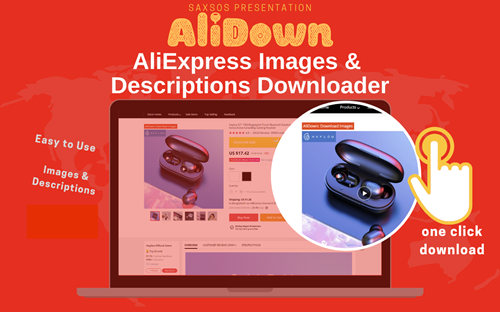
Install the official AliDown Chrome extension and grab every product image, variant, and video — including review photos — in one click. Unlimited downloads, forever free, no credits needed.
- One-click bulk download
- ZIP, single files, or HD originals
- No login required, no credit limit
- Works on AliExpress, AliBaba & Taobao
⭐ 4.9 / 5 average rating · 10,000+ active users