How to download Made-in-China.com product images
Industrial-grade supplier media — factory photos, certifications, packaging shots, technical drawings. Built for private-label brand builders and serious sourcing.
Made-in-China.com is the English-language directory of Chinese manufacturers. Compared to AliBaba it leans more heavily on industrial supply, OEM/ODM, and certified factories. For private-label brand builders and Amazon FBA sellers who need to vet manufacturers, it’s indispensable.
Steps
- Open the listing on
www.made-in-china.com. - Copy the URL.
- Go to alidownpro.com, paste, click Extract.
- Browse Gallery / Variants / Videos / Certifications.
- Click Download all as ZIP.
What you’ll get
- Main product gallery and variant images
- Factory and production-line photos
- Certification scans (CE, FCC, RoHS, ISO 9001, FDA, REACH)
- Packaging and shipping photos
- Specification tables and technical drawings
- Demo / operation videos in MP4
Private-label workflow
- Identify your target product category.
- Find 5-10 candidate manufacturers on Made-in-China.com.
- Use AliDownPro to extract each listing’s full media bundle.
- Compare factory photos, certifications, and product quality side-by-side.
- Shortlist 2-3 manufacturers and request samples.
FAQ
What makes Made-in-China.com different from AliBaba?
Both are English-first wholesale platforms. AliBaba covers broad consumer + industrial. Made-in-China leans more heavily on industrial suppliers, OEM/ODM manufacturers, and certified factories. Its listings often include more detailed factory documentation.
Can I download the certification scans?
Yes. Made-in-China listings often include CE, FCC, RoHS, ISO 9001, FDA, and REACH certifications as scanned images. AliDownPro extracts all of them.
Best for whom?
Brand owners and Amazon FBA private-label sellers who need to vet factories. The supplier photos and certifications are essential for due diligence.
Related
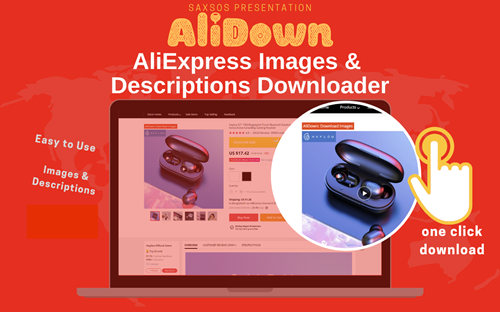
Skip the URL paste. Download right from the AliExpress page.
Install the official AliDown Chrome extension and grab every product image, variant, and video — including review photos — in one click. Unlimited downloads, forever free, no credits needed.
- One-click bulk download
- ZIP, single files, or HD originals
- No login required, no credit limit
- Works on AliExpress, AliBaba & Taobao
⭐ 4.9 / 5 average rating · 10,000+ active users