How to download Pinduoduo (拼多多) product images
Trend research at the source — Pinduoduo's catalogue is the early signal for which products will appear on Temu and AliExpress months later.
Pinduoduo is China’s third-largest ecommerce platform after Alibaba and JD. Its social group-buy mechanic and ultra-low pricing have made it the fastest-growing marketplace — especially in lower-tier Chinese cities. For Western trend researchers, it’s the early signal: products that go viral on Pinduoduo this month often appear on Temu in 30-60 days and on AliExpress a few months later at 2-3× the price.
Steps
- Find a trending Pinduoduo product (the “限时秒杀” / flash sale section is a good start).
- Copy the URL from
mobile.yangkeduo.com,yangkeduo.com, or the Pinduoduo app’s share menu. - Go to alidownpro.com, paste, click Extract.
- Browse Gallery / Variants / Reviews / Videos.
- Click Download all as ZIP.
What you’ll get
- Main product gallery in original resolution
- Group-buy promotional banners
- Per-SKU variant photos with translated labels
- Customer review photos (often abundant)
- Product demo videos in MP4
Trend research workflow
- Find a hot Pinduoduo listing in your niche.
- Save the ZIP from AliDownPro.
- Search the same SKU on 1688 to find the factory source.
- List on Amazon FBA or Shopify before the trend hits Temu and AliExpress.
FAQ
Why is the URL yangkeduo.com, not pinduoduo.com?
Yangkeduo.com is Pinduoduo's original technical domain (the company started as a fruit group-buy site). pinduoduo.com redirects to yangkeduo.com. AliDownPro accepts both.
Is Pinduoduo the same as Temu?
Same parent company (PDD Holdings), different platforms. Pinduoduo = Chinese domestic. Temu = international arm with English UI and USD pricing. AliDownPro supports both — see our Temu guide too.
Can I buy from Pinduoduo internationally?
Not directly — Pinduoduo only ships within China and requires a Chinese phone number to register. For international shopping, use Temu. For sourcing, use a sourcing agent.
Related
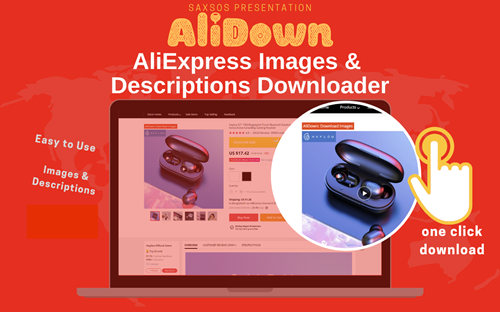
Skip the URL paste. Download right from the AliExpress page.
Install the official AliDown Chrome extension and grab every product image, variant, and video — including review photos — in one click. Unlimited downloads, forever free, no credits needed.
- One-click bulk download
- ZIP, single files, or HD originals
- No login required, no credit limit
- Works on AliExpress, AliBaba & Taobao
⭐ 4.9 / 5 average rating · 10,000+ active users