How to download AliExpress videos online
Free MP4 download. No watermark. Works on desktop, mobile, and via Chrome extension.
AliExpress product videos are gold for ad creative, product page embeds, and competitive research. Here’s how to save them in seconds — free, with no watermark.
Method 1 — AliDownPro online (recommended)
- Copy the AliExpress product URL from your browser.
- Go to alidownpro.com.
- Paste the URL and click Extract.
- Switch to the Videos tab on the result page.
- Click Save on any video — you’ll get the original MP4 file.
Method 2 — Free Chrome extension
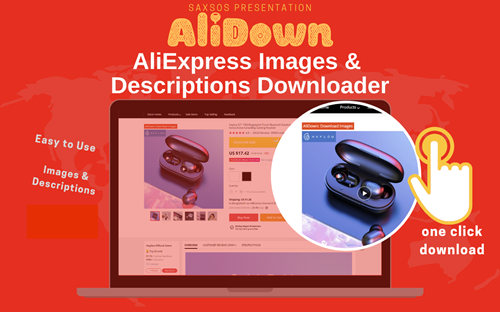
Install the AliDown extension, open any AliExpress product, click the AliDown icon, and pick “Download video.” Unlimited & free.
Method 3 — Mobile (AliExpress app)
- In the AliExpress app, tap the Share icon on the product.
- Copy the link.
- Open your mobile browser and go to alidownpro.com.
- Paste, extract, and tap Save on the video. The MP4 saves to your phone.
Video quality and format
We always return the original MP4 file as uploaded by the seller — typically H.264 720p or 1080p. No re-encoding, no compression, no watermark.
Why not use a screen recorder?
Screen recording loses quality and adds your own watermark or UI. For ad creative, screen-recorded video almost always fails Meta’s quality check (low-res, framerate issues). AliDownPro returns the pristine source file.
FAQ
How do I download a video from AliExpress?
Copy the AliExpress product URL, paste it into AliDownPro, click Extract, then switch to the Videos tab and click Save. Or install our free Chrome extension and click the AliDown button on the product page.
Are AliExpress downloaded videos watermarked?
No. AliDownPro returns the original MP4 file from AliExpress's CDN, with no watermark, re-encoding, or quality loss.
Can I download AliExpress videos on mobile?
Yes. Open the AliExpress app, tap the share icon, copy the link, paste it into AliDownPro.com in your mobile browser, and download. Works on iOS Safari, Android Chrome, and any modern mobile browser.
What format are the videos?
MP4 (H.264) at the original AliExpress resolution — usually 720p or 1080p depending on what the seller uploaded.
Related
Skip the URL paste. Download right from the AliExpress page.
Install the official AliDown Chrome extension and grab every product image, variant, and video — including review photos — in one click. Unlimited downloads, forever free, no credits needed.
- One-click bulk download
- ZIP, single files, or HD originals
- No login required, no credit limit
- Works on AliExpress, AliBaba & Taobao
⭐ 4.9 / 5 average rating · 10,000+ active users