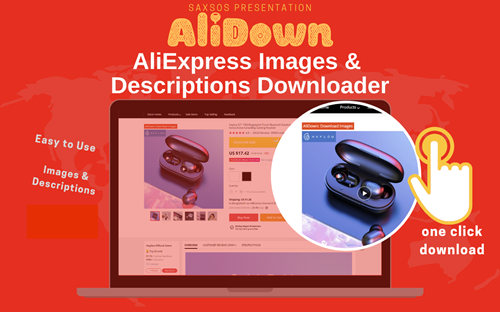
How to download AliExpress images
Three methods, all free. We'll cover AliDownPro online, the free Chrome extension, and the manual approach — plus pro tips for dropshippers and resellers.
Downloading product images from AliExpress should be one click. In reality, AliExpress goes out of its way to make it hard: right-click is sometimes disabled, the visible images are 350×350 thumbnails, and there’s no bulk-download button. Here are the three working methods, ranked by speed.
Method 1 — AliDownPro online (recommended)
- Copy the AliExpress product URL.
- Go to alidownpro.com.
- Paste the URL into the input box, click Extract.
- You’ll see every gallery image, variant photo, customer review picture, and product video.
- Click Download all as ZIP (free signup — 50 credits to start).
Total time: about 5 seconds per product.
Method 2 — Free Chrome extension (no signup, unlimited)
- Install the AliDown Chrome extension from the Chrome Web Store.
- Open any AliExpress product page.
- Click the AliDown icon in your browser toolbar.
- Pick “Download all images” — done.
No signup, no credit limit, no quota. Forever free.
Method 3 — Manual (slow, but works without tools)
- Open the product page.
- Right-click an image → “Open image in new tab.” (If right-click is disabled, hold
Ctrland drag to URL bar.) - Edit the URL to remove the
_350x350suffix so it returns the full-resolution master. - Save the file. Repeat for every image and variant.
This works but takes 5-10 minutes per product. Not recommended for volume work.
Pro tips
- Variant images: AliDownPro automatically groups variant images by SKU — useful when uploading to Shopify or WooCommerce.
- Review photos: Don’t skip them. They make better Meta and TikTok ad creative than supplier shots.
- White-background prep: For Amazon FBA, use a tool like Photoroom or Pixelcut to make the background pure white.
- Bulk research: If you’re researching 50+ products, the Pro plan ($1.99/mo, 1,000 credits) is the cheapest option.
Frequently asked questions
How can I download all images from an AliExpress product at once?
Open the AliExpress product, copy the URL, paste it into AliDownPro at https://alidownpro.com, then click Download all as ZIP. Or use the free AliDown Chrome extension to do it in one click directly on the product page.
Are the downloaded AliExpress images HD?
Yes. AliDownPro extracts the original master image (typically 1000–2000 px on the long edge) rather than the resized 350×350 thumbnail.
Can I download AliExpress images without signing up?
You can preview every image without signing up. To save them, sign up for a free AliDownPro account (50 free credits) or use the free Chrome extension for unlimited downloads with no signup.
Does the Chrome extension work on the AliExpress mobile site?
Chrome extensions only run on desktop Chrome. On mobile, use AliDownPro.com directly — it's fully responsive and works in any mobile browser.
Related guides
Skip the URL paste. Download right from the AliExpress page.
Install the official AliDown Chrome extension and grab every product image, variant, and video — including review photos — in one click. Unlimited downloads, forever free, no credits needed.
- One-click bulk download
- ZIP, single files, or HD originals
- No login required, no credit limit
- Works on AliExpress, AliBaba & Taobao
⭐ 4.9 / 5 average rating · 10,000+ active users